|
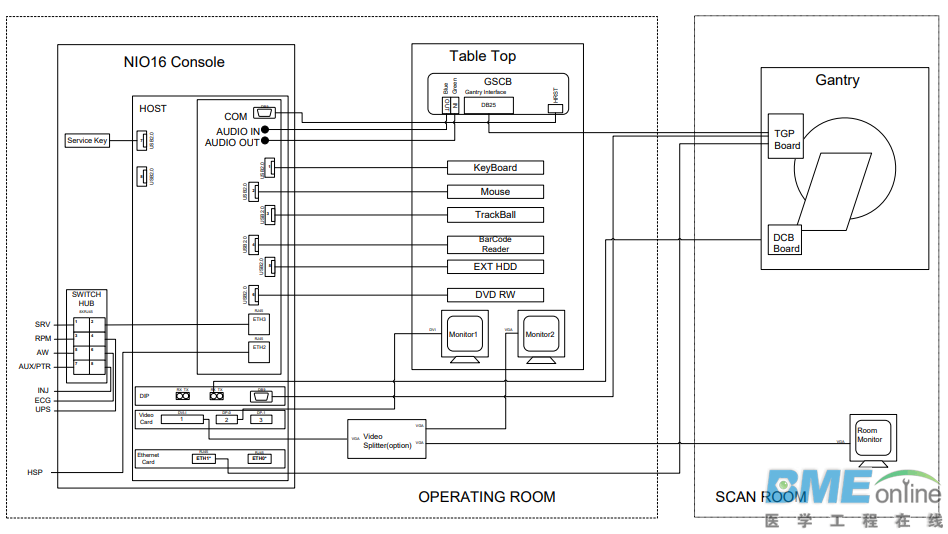
Optima 520主机详解NIO16框图 Optima520的主机类型为NIO16,框图如下: NIO16组成Host Computer :contains the System / Image Data Disks, KDIP board and two scan data disks. GPU: a graphic card is used for ASIR or Fluoro Option. GSCB -:GSCB shall provide all functions on SCIM and ICOM, and meet new I/O requirements. Cooling Package:contains Fans、Air Filter NIO16特性 Recon times: 6 fps with software BP, 16 fps with GPU BP Image Matrix: < 512 x 512 pixels
Host Computer功能描述主机内部有一个KDIP卡,从DAS接收原始数据,并把数据存放到原始数据盘; 主机有一个IG处理器,从原始数据盘提取数据以后,处理成图像;如果配置有GPU卡,GPU辅助图像的重建; 重建好的图像,存放在系统和图像盘;
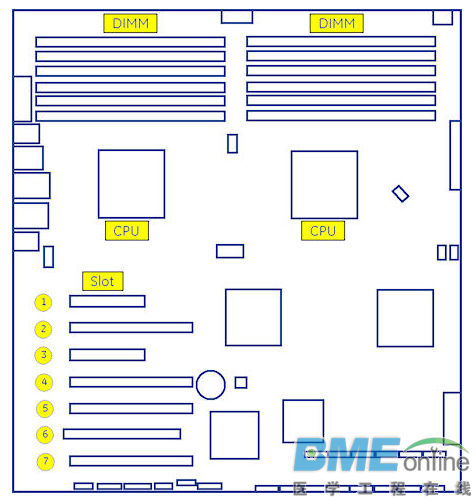
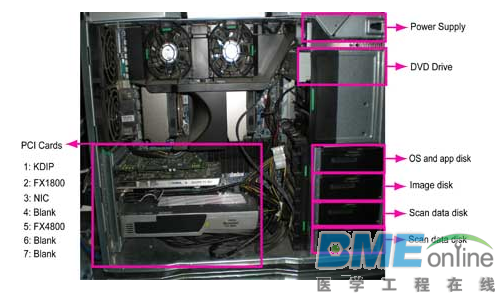
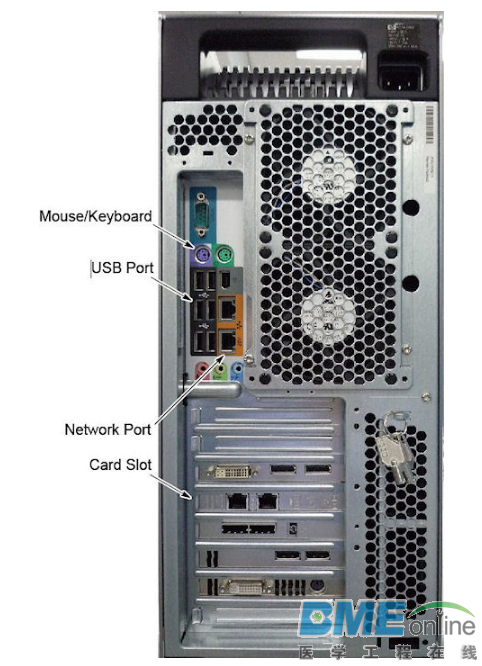
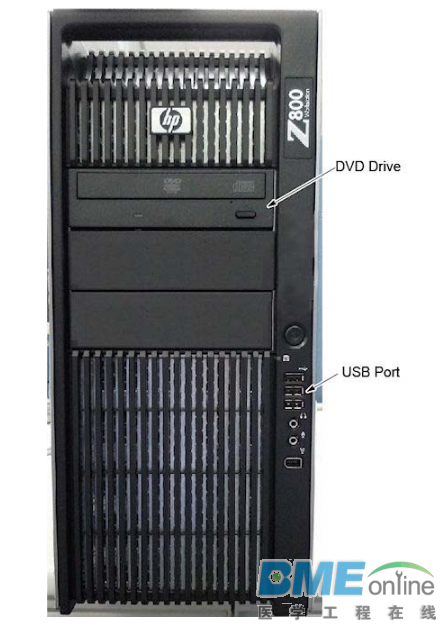
Z800主机组成Dual Processors: Intel ® Xeon™ Quad Core processors or successor Memory:12GB FBD DDR3-1333 REG ECC DIMM 硬盘:四块300G的3.5寸SAS硬盘,硬盘转速可达15000RPM PCI接口:7个 PCI/PCI-X/PCI-E expansion slots SLOT 1PCI-E: KDIP card SLOT 2 PCI-E: graphics card SLOT 3 PCI-E: NIC card SLOT 4 PCI-E: Not used SLOT 5 PCI-E: GPU card SLOT 6 PCI: Not used SLOT 7 PCI-E: Not used
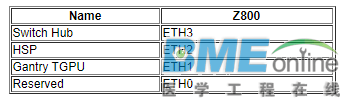
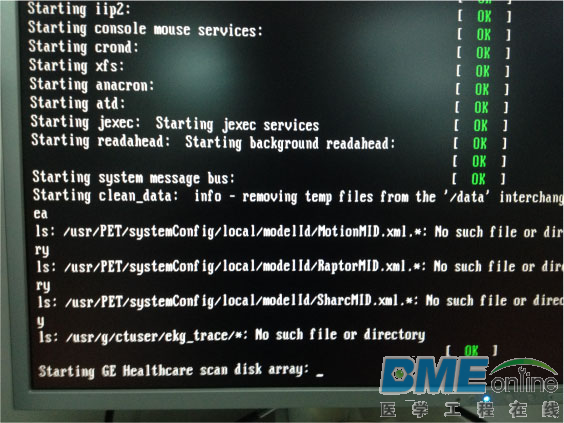
KDIP Card It converts the optical signal received from the Gantry into electrical raw data and writes that data to one of the double buffers on the card. This card supports 64bit, 66MHz, PCI bus interface with an FPGA, and should be able to support 833MB/sec data rate optical fiber interface. Gigabit Ethernet Card 功能:主机与机架进行通信 GbE特性 Dual Gigabit Ethernet ports 10Base-T, 100Base-TX, 1000Base-TX IEEE802.3ab compatible 64bit, 66MHz (or higher) PCI-e interface Low profile form factor 案例分析故障描述: 扫描不出图,或者图像序列缺失,或者少图像 重启,会出现不能启动的现象,停止位置为Scan Disk Array 第一步 重装系统,速度会很慢,时间会非常长,慢的进度一般为MATLAB的安装过程,重装系统后,三天后故障重现,判断可能是Host PC有问题,需要对PC进行诊断。
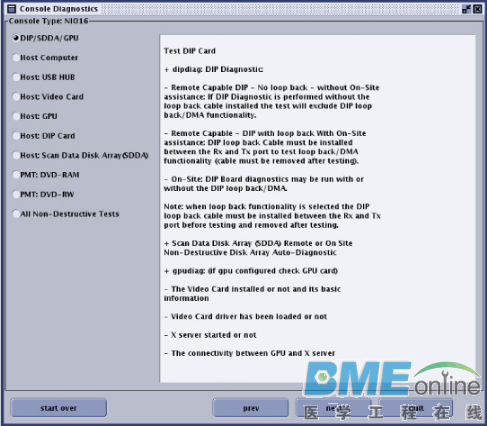
第二步 退出APP,打开Shell终端,开始进行Console诊断 {ctuser@hostname} cd /usr/g/bin {ctuser@hostname} ls *onsole* console* ConsoleDiags@ consolediagsgui.py* HartConsoleCollect* {ctuser@hostname} ConsoleDiags 对GPU、CPU等诊断都正常,硬盘诊断会失败
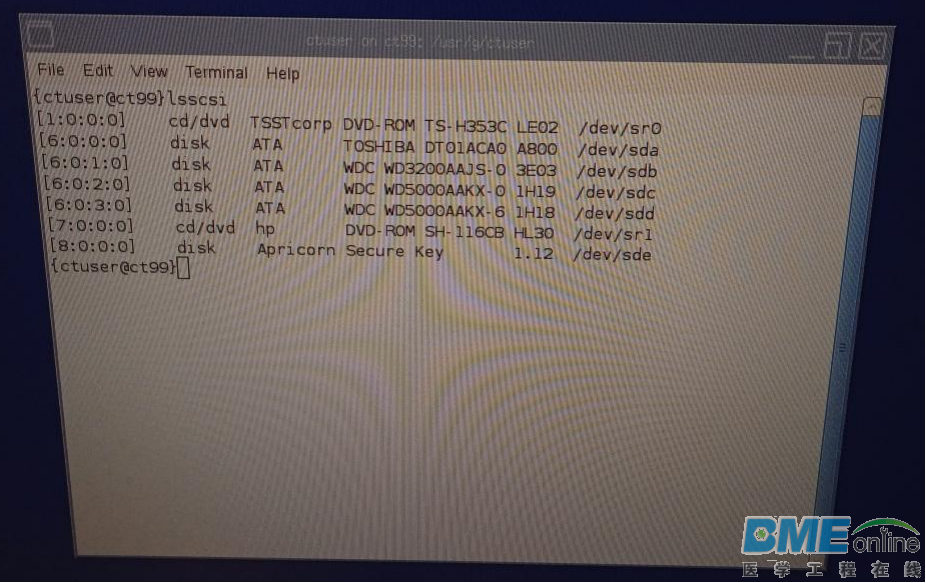
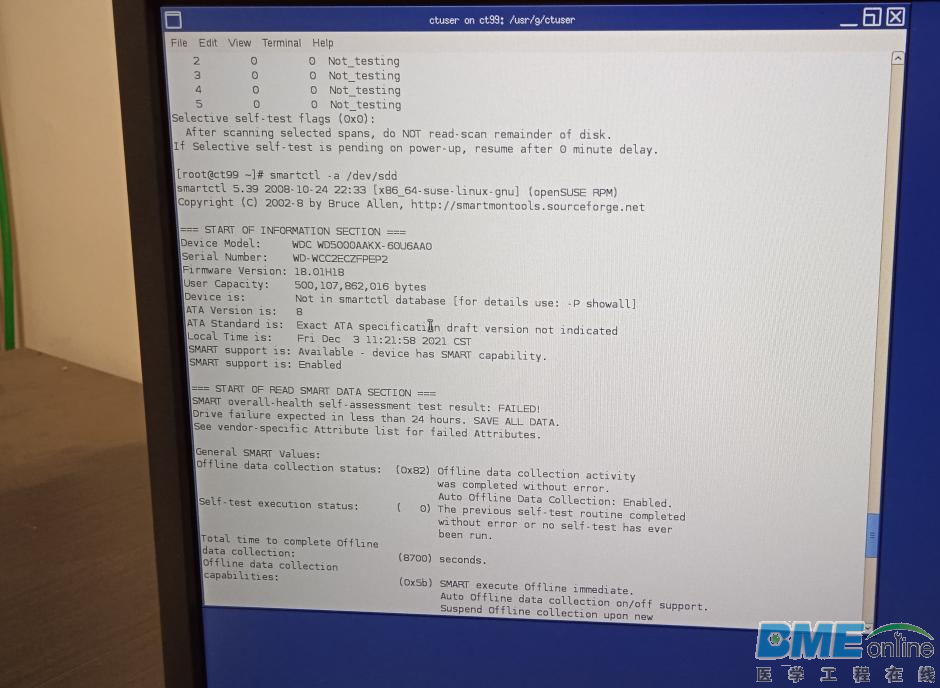
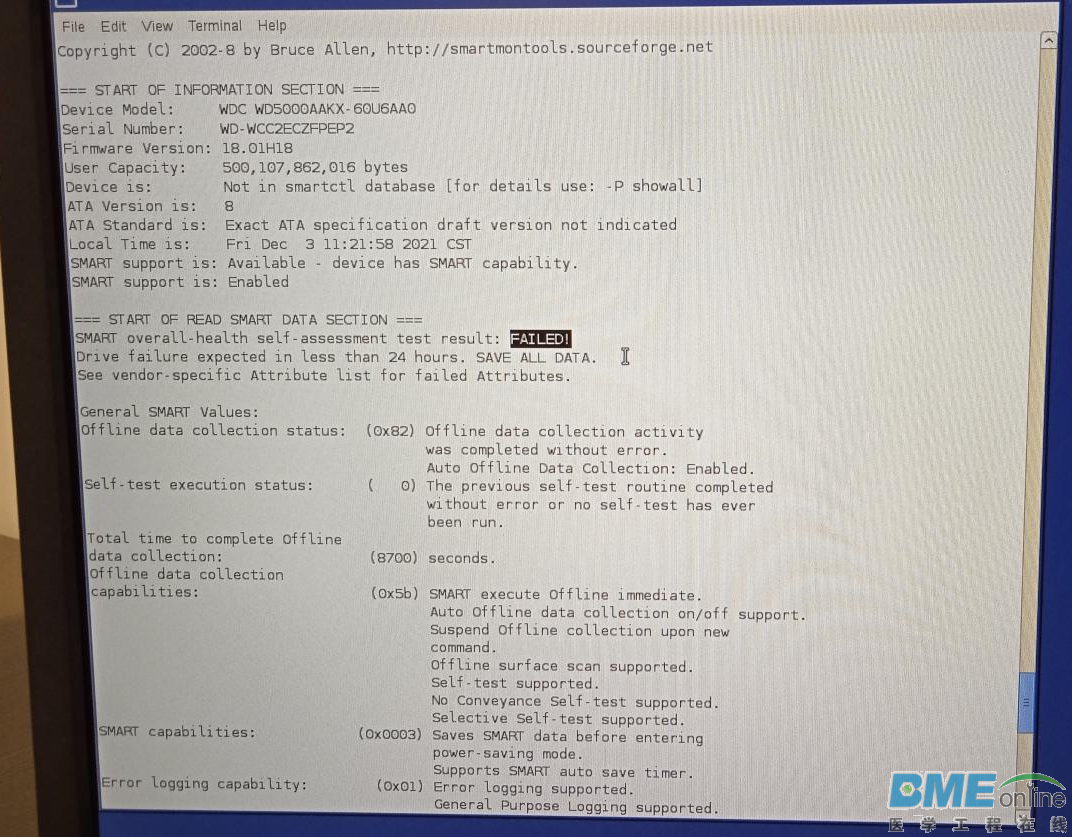
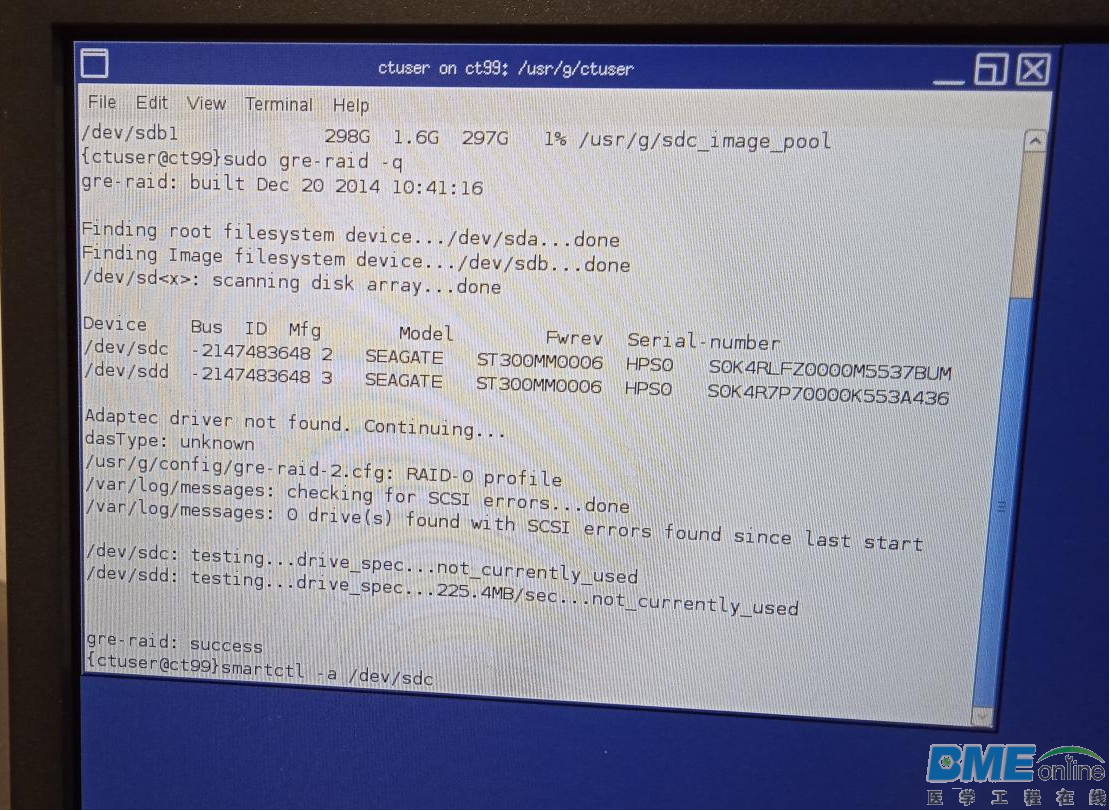
第三步 对硬盘进行进一步诊断,使用命令lsscsi查看硬盘名称等信息 使用命令:smartctl -a /dev/sdX来测试,失败,初步判断,原始数据硬盘有问题
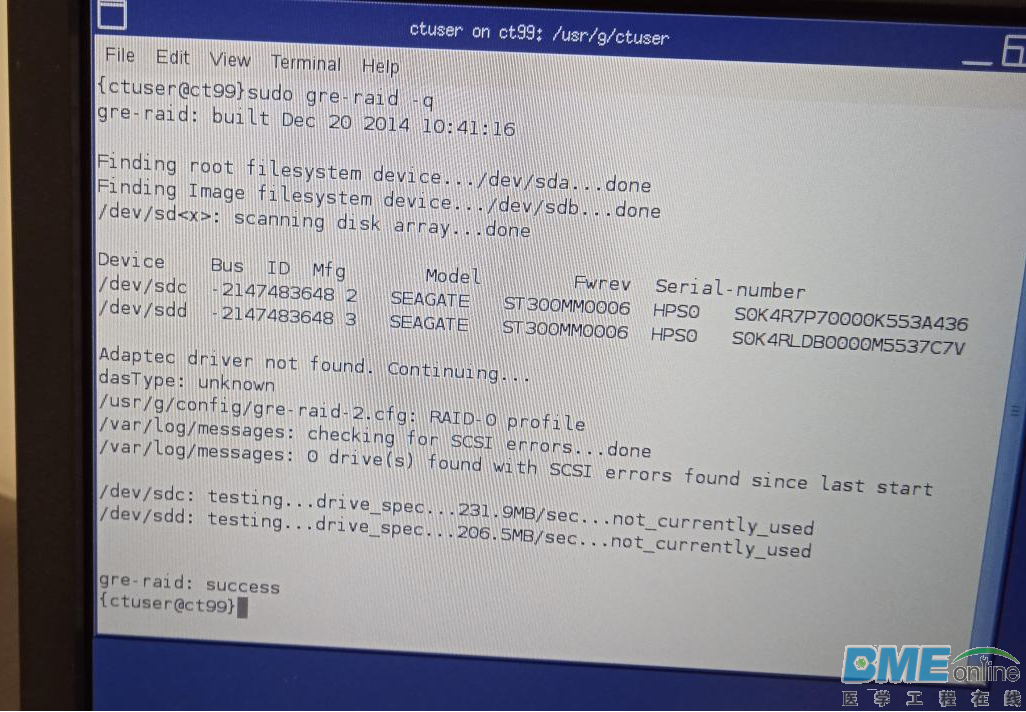
对原始数据硬盘重新格式化,其中一块硬盘的读取速度不对,确定硬盘有问题 第四步 更换原始数据盘(300G的3.5寸SAS硬盘,硬盘转速可达15000RPM) 更换原始数据盘以后,不需要LFC,在系统启动过程中,可以用组合键 【Shift + F8】来跳过RIAD检测,进入系统后,运行【Reconfig】,选中【Regenerate Scan Database】来对原始数据盘进行阵列处理。 做好RAID后,用命令sudo grep-raid -q测试RAID状态,读写速度正常 第五步 开机扫描,正常
| 
 [复制链接]


 IP卡
IP卡 狗仔卡
狗仔卡 已绑定手机
已绑定手机 发表于 2022-1-17 13:41:54
 提升卡
提升卡 置顶卡
置顶卡 沉默卡
沉默卡 喧嚣卡
喧嚣卡 变色卡
变色卡 显身卡
显身卡




 浙公网安备 33010402001000号